
aymericzip/intlayer
FreeNot checkedA MCP Server that enhance your IDE with AI-powered assistance for Intlayer i18n / CMS tool: smart CLI access, access to the docs.

About
A MCP Server that enhance your IDE with AI-powered assistance for Intlayer i18n / CMS tool: smart CLI access, access to the docs.
README
Per-component i18n
AI-powered translation. Visual Editor. Multilingual CMS.
Docs • Next.js • React + Vite • CMS • Discord



What is Intlayer?
Most i18n libraries are either too complex, too rigid, or not built for modern frameworks.
Intlayer is a modern i18n solution for web and mobile apps.
It’s framework-agnostic, AI-powered, and includes a free CMS & visual editor.
With per-locale content files, TypeScript autocompletion, tree-shakable dictionaries, and CI/CD integration, Intlayer makes internationalization faster, cleaner, and smarter.
Keys benefits of Intlayer:
| Feature | Description |
|---|---|
 |
Cross-Frameworks Support Intlayer is compatible with all major frameworks and libraries, including Next.js, React, Vite, Vue.js, Nuxt, Preact, Express, and more. |
 |
JavaScript-Powered Content Management Harness the flexibility of JavaScript to define and manage your content efficiently. - Content declaration |
 |
Per-Locale Content Declaration File Speed up your development by declaring your content once, before auto generation. - Per-Locale Content Declaration File |
 |
Compiler The Intlayer Compiler extract automatically the content from the components and generate the dictionary files. - Compiler |
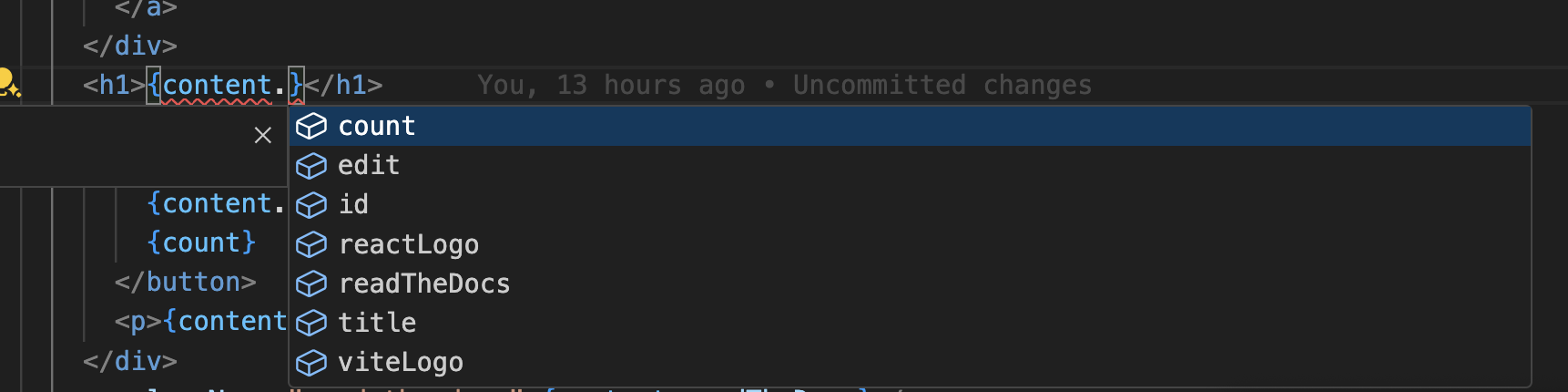 |
Type-Safe Environment Leverage TypeScript to ensure your content definitions and code are error-free, while also benefiting from IDE autocompletion. - TypeScript configuration |
 |
Simplified Setup Get up and running quickly with minimal configuration. Adjust settings for internationalization, routing, AI, build, and content handling with ease. - Explore Next.js integration |
 |
Simplified Content Retrieval No need to call your t function for each piece of content. Retrieve all your content directly using a single hook.- React integration |
 |
Consistent Server Component Implementation Perfectly suited for Next.js server components, use the same implementation for both client and server components, no need to pass your t function across each server component. - Server Components |
 |
Organized Codebase Keep your codebase more organized: 1 component = 1 dictionary in the same folder. Translations close to their respective components, enhance maintainability and clarity. - How Intlayer works |
 |
Enhanced Routing Full support of app routing, adapting seamlessly to complex application structures, for Next.js, React, Vite, Vue.js, etc. - Explore Next.js integration |
 |
Markdown Support Import and interpret, locale files and remote Markdown for multilingual content like privacy policies, documentation, etc. Interpret and make Markdown metadata accessible in your code. - Content files |
 |
Free Visual Editor & CMS A free visual editor and CMS are available for content writers, removing the need for a localization platform. Keep your content synchronized using Git, or externalize it totally or partially with the CMS. - Intlayer Editor - Intlayer CMS |
 |
Tree-shakable Content Tree-shakable content, reducing the size of the final bundle. Loads content per component, excluding any unused content from your bundle. Supports lazy loading to enhance app loading efficiency. - App build optimization |
 |
Static Rendering Doesn't block Static Rendering. - Next.js integration |
 |
AI-Powered Translation Transform your website into 231 languages with just one click using Intlayer's advanced AI-powered translation tools using your own AI provider / API key. - CI/CD integration - Intlayer CLI - Auto fill |
 |
MCP Server Integration Provides an MCP (Model Context Protocol) server for IDE automation, enabling seamless content management and i18n workflows directly within your development environment. - MCP Server |
 |
VSCode Extension Intlayer provides a VSCode extension to help you manage your content and translations, building your dictionaries, translating your content, and more. - VSCode Extension |
 |
Interoperability Allow interoperability with react-i18next, next-i18next, next-intl, react-intl, vue-i18n. - Intlayer and react-intl - Intlayer and next-intl - Intlayer and next-i18next - Intlayer and vue-i18n - Intlayer compat adapters |
 |
Performances & Benchmark Uses advanced tree-shaking and dynamic loading to boost performances and keep the solution as light as possible. - Performances & Benchmark |
📦 Installation
Start your journey with Intlayer today and experience a smoother, more powerful approach to internationalization.
npm install intlayer react-intlayer
⚡ Quick Start (Next.js)
// intlayer.config.ts
import { Locales, type IntlayerConfig } from "intlayer";

const config: IntlayerConfig = {
  internationalization: {
    locales: [Locales.ENGLISH, Locales.FRENCH, Locales.SPANISH],
    defaultLocale: Locales.ENGLISH,
  },
};

export default config;
// app/home.content.ts
import { t, type Dictionary } from "intlayer";

const content = {
  key: "home",
  content: {
    title: t({
      en: "Home",
      fr: "Accueil",
      es: "Inicio",
    }),
  },
} satisfies Dictionary;

export default content;
// app/page.tsx
import { useIntlayer } from "react-intlayer";

const HomePage = () => {
  const { title } = useIntlayer("home");

  return <h1>{title}</h1>;
};
🎥 Live tutorial on YouTube
How to Internationalize your application using Intlayer
Table of Contents
Explore our comprehensive documentation to get started with Intlayer and learn how to integrate it into your projects.
📘 Get Started
⚙️ Concept
🌐 Environment
📊 Benchmark
📰 Blog
Multilingual content management system
More than an i18n library, Intlayer is a complete multilingual content management system. A full CMS is available for free at app.intlayer.org.
Intlayer connects developers, copywriters, and AI agents in one workflow for creating and maintaining multilingual websites effortlessly.Intlayer replaces the following stack in a single solution:
- i18n solutions (e.g.
i18next,next-intl,vue-i18n) - TMSs (Translation Management Systems) (e.g. Crowdin, Phrase, Lokalise)
- Feature flags
- Headless CMSs (e.g. Contentful, Strapi, Sanity)

🌐 Readme in other languages
English • 简体中文 • Русский • 日本語 • Français • 한국어 • Español • Deutsch • العربية • Italiano • English (UK) • Português • हिन्दी • Türkçe
🤝 Community
Intlayer is built with and for the community and we’d love your input!
- Have a suggestion? Open an issue
- Found a bug or improvement? Submit a PR
- Need help or want to connect? Join our Discord
You can also follow us on :






Contribution
For more detailed guidelines on contributing to this project, please refer to the CONTRIBUTING.md file. It contains essential information on our development process, commit message conventions, and release procedures. Your contributions are valuable to us, and we appreciate your efforts in making this project better!
Contribute on GitHub, GitLab, or Bitbucket.
Thank You for the Support
If you like Intlayer, give us a ⭐ on GitHub. It helps others discover the project! See why GitHub Stars matter.
Installing aymericzip/intlayer
This server has no published package — it is built from source. Open the repository and follow its README.
▸ github.com/aymericzip/intlayerFAQ
Is aymericzip/intlayer MCP free?
Yes, aymericzip/intlayer MCP is free — one-click install via Unyly at no cost.
Does aymericzip/intlayer need an API key?
No, aymericzip/intlayer runs without API keys or environment variables.
Is aymericzip/intlayer hosted or self-hosted?
Self-hosted: the server runs locally on your machine via the install command above.
How do I install aymericzip/intlayer in Claude Desktop, Claude Code or Cursor?
Open aymericzip/intlayer on unyly.org, pick your client tab (Claude Desktop, Claude Code, Cursor) and press Install — the config is generated automatically, no JSON editing.
Related MCPs
Notion
Read and write pages in your workspace
 by Notion
Linear
Issues, cycles, triage — from Claude
 by Linear
Google Drive
Search and read your Drive files
 by Google
mindsdb/mindsdb
Connect and unify data across various platforms and databases with [MindsDB as a single MCP server](https://docs.mindsdb.com/mcp/overview).
 by mindsdb
fulcradynamics/fulcra-context-mcp
MCP server for accessing personal health and biometric data including sleep stages, heart rate, HRV, glucose, workouts, calendar, and location via the Fulcra Li
 by fulcradynamics
rinadelph/Agent-MCP
A framework for creating multi-agent systems using MCP for coordinated AI collaboration, featuring task management, shared context, and RAG capabilities.
 by rinadelph
WhenLabs-org/when
Developer toolkit: auto-detect stack for AI context files, catch port conflicts, validate .env schemas, spot docs drift, audit dependency licenses, and time cod
 by WhenLabs-org
Beltran12138/wecom-docs-mcp-server
WeCom (Enterprise WeChat) document operations via MCP: create, read, and edit Docs and Smartsheets (9 tools). Fills the doc-CRUD gap — existing WeCom MCP server
 by Beltran12138
madbonez/caldav-mcp
Universal MCP server for CalDAV protocol integration. Works with any CalDAV-compatible calendar server including Yandex Calendar, Google Calendar (via CalDAV),
 by madbonez
freema/mcp-gsheets
MCP server for Google Sheets API integration with comprehensive reading, writing, formatting, and sheet management capabilities.
 by freema
Compare aymericzip/intlayer with
Not sure what to pick?
Find your stack in 60 seconds
Author?
Embed badge for your README
Browse similar
All productivity MCPs