
filesystem@quarkiverse/quarkus-mcp-servers
FreeNot checkedA filesystem allowing for browsing and editing files implemented in Java using Quarkus. Available as jar or native image.

About
A filesystem allowing for browsing and editing files implemented in Java using Quarkus. Available as jar or native image.
README
This project contains Model Context Protocol servers, implemented in Java using the Quarkus MCP server framework.
These lets you extend the capabilities of your MCP enabled LLM (Large Language Model) AI applications.
These also work in MCP enabled LLM applications, like Claude Desktop. You can find other clients on Awesome MCP Clients page.
Running the servers
All of these servers are available to run with jbang everywhere: Java, JavaScript, Python and more. Where it says jbang it can be replaced with npx @jbangdev/jbang or uvx jbang or pipx jbang dependent on your preference.
Servers
jdbc

The jdbc server can be used to store and retrieve data from a database given just a JDBC URL. You can use any JDBC database, like Postgres, MySQL, Oracle, Sqlite, etc.
jbang jdbc@quarkiverse/quarkus-mcp-servers
See more in the jdbc readme.
jvminsight
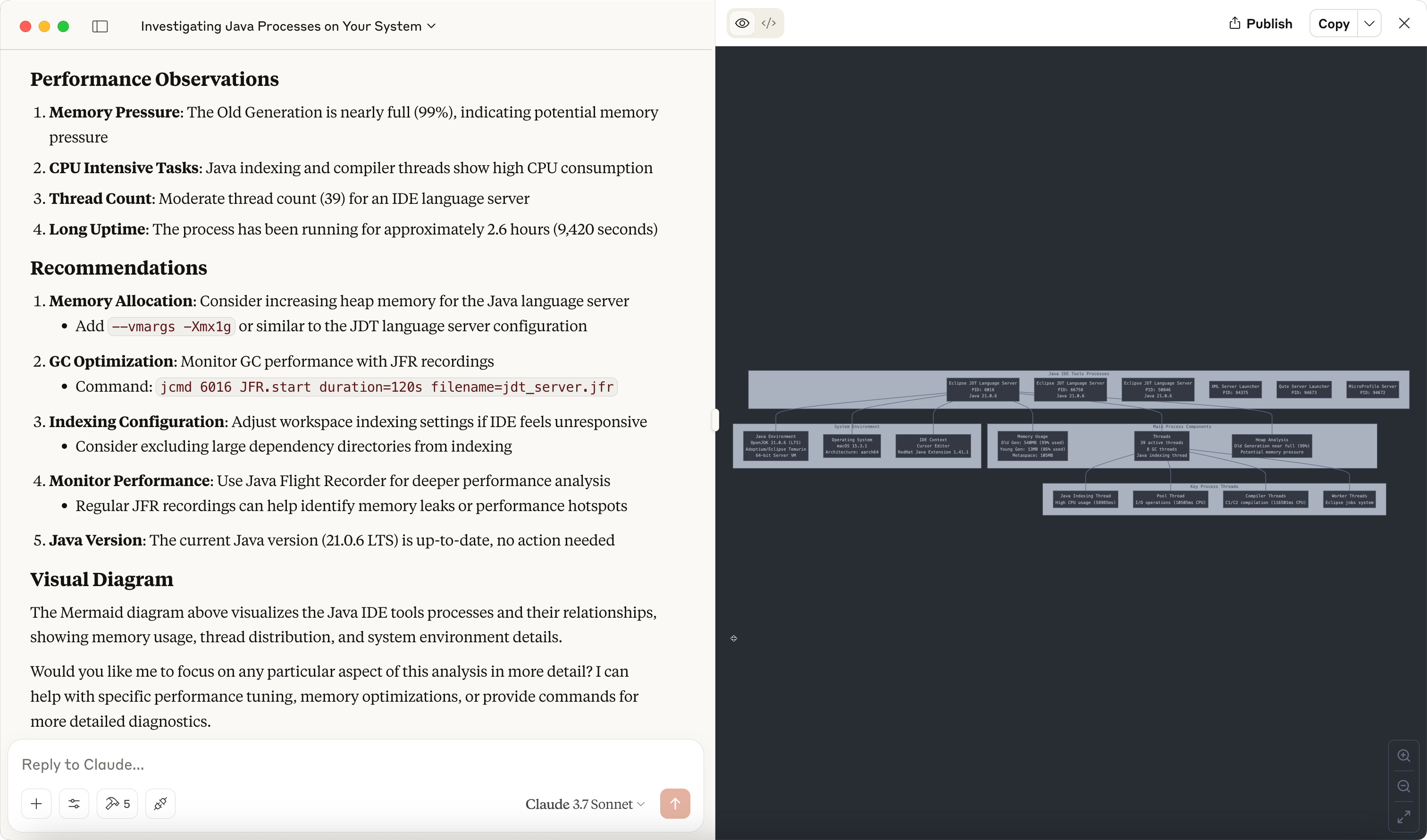
The jvminsight server is a server that can be used to inspect a running JVM process.
jbang jvminsight@quarkiverse/quarkus-mcp-servers
See more in the jvminsight readme.
filesystem
The filesystem server is a file system server that can be used to serve files from a file system.
jbang filesystem@quarkiverse/quarkus-mcp-servers [path1] [path2] ...
See more in the filesystem readme.
jfx
The jfx server exposes a canvas that can be used to make drawings using JavaFX.
jbang jfx@quarkiverse/quarkus-mcp-servers
See more in the jfx readme.
kubernetes
The kubernetes server can be used to interact with a Kubernetes cluster.
jbang kubernetes@quarkiverse/quarkus-mcp-servers
containers
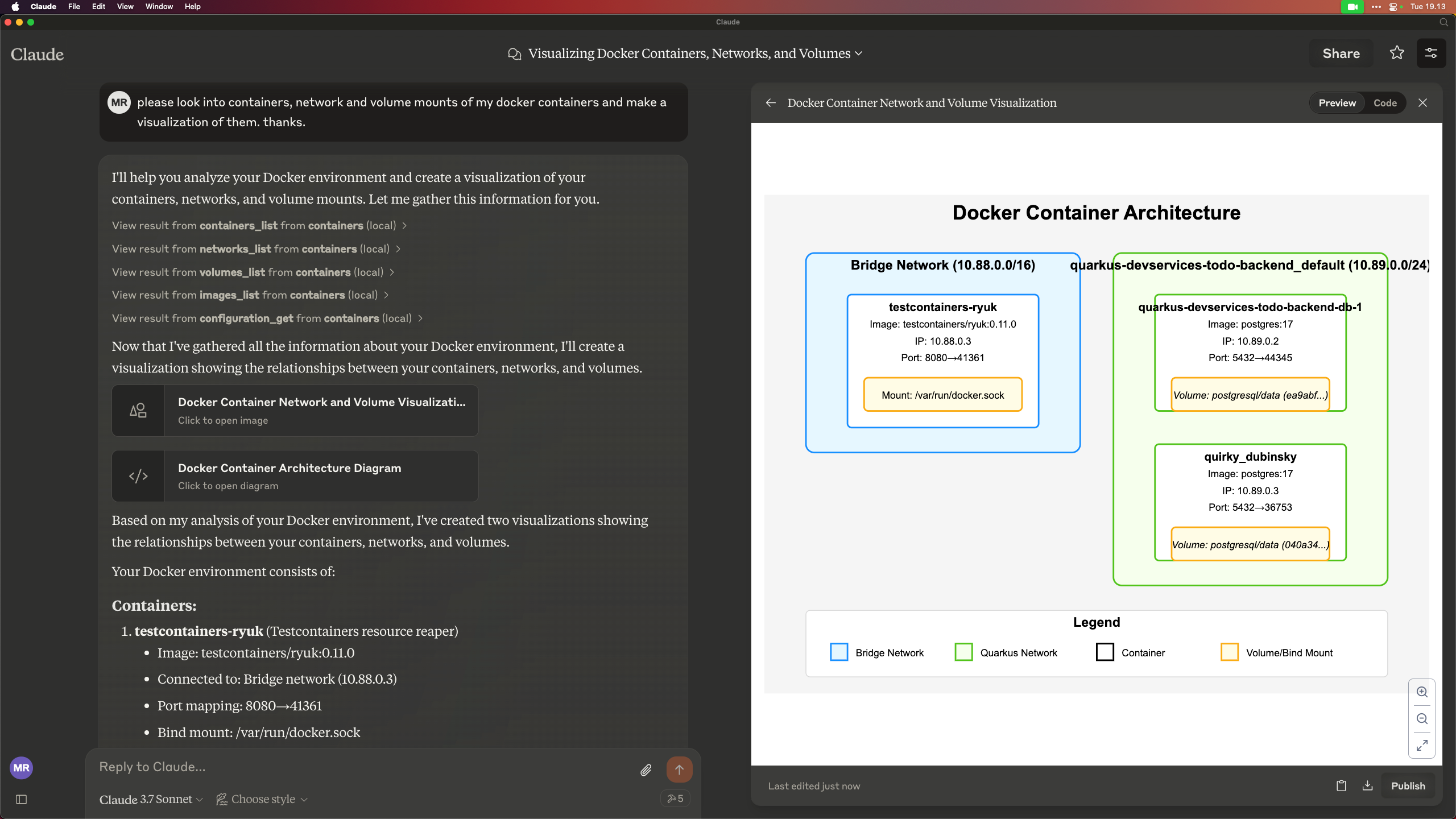
The 'containers' server lets you work with Docker/Podman/OCI compatible container engines.
jbang containers@quarkiverse/quarkus-mcp-servers
wolfram
The wolfram server can be used to perform web search optimized for use by a large language model through the Wolfram Alpha LLM API.
jbang wolfram@quarkiverse/quarkus-mcp-servers
Other Quarkus MCP based servers
WildFly
A WildFly MCP server that allows you to interact with WildFly running servers.
You can check this WildFly vlog that demonstrates its capabilities.
Read more in the WildFly MCP Server readme.
Ideas for other servers
If you have ideas for other servers, feel free to contribute them to this project.
If missing ideas, then look at the reference servers at https://github.com/modelcontextprotocol/servers and see if you can implement them in this project.
Other ideas:
- zulip
- jfr/java hooked to jmx/jfr
- quarkus dev mode
- ...
Contributing
If you have ideas for other servers, feel free to contribute them to this project.
To get started, clone the repository and build it:
git clone https://github.com/quarkiverse/quarkus-mcp-servers
cd quarkus-mcp-servers
mvn clean install
Then run the following command to generate a new server for i.e. jfr:
mkdir jfr
cd jfr
jbang init -t mcp jfr
This will create the jfr directory with a Hello World MCP server.
You can then build it:
mvn clean install
To wire it into the full project you need to add <module>jfr</module> to the root pom.xml file.
Make sure you have added some useful content to the README.md file + updated the demo image.
Then open a PR :)
Installing filesystem@quarkiverse/quarkus-mcp-servers
This server has no published package — it is built from source. Open the repository and follow its README.
▸ github.com/quarkiverse/quarkus-mcp-serversFAQ
Is filesystem@quarkiverse/quarkus-mcp-servers MCP free?
Yes, filesystem@quarkiverse/quarkus-mcp-servers MCP is free — one-click install via Unyly at no cost.
Does filesystem@quarkiverse/quarkus-mcp-servers need an API key?
No, filesystem@quarkiverse/quarkus-mcp-servers runs without API keys or environment variables.
Is filesystem@quarkiverse/quarkus-mcp-servers hosted or self-hosted?
Self-hosted: the server runs locally on your machine via the install command above.
How do I install filesystem@quarkiverse/quarkus-mcp-servers in Claude Desktop, Claude Code or Cursor?
Open filesystem@quarkiverse/quarkus-mcp-servers on unyly.org, pick your client tab (Claude Desktop, Claude Code, Cursor) and press Install — the config is generated automatically, no JSON editing.
Related MCPs
ARA
Generate images, video and audio from any AI agent — one connector.
 by ARA
Omni Video
An MCP server that transforms LLM-enabled IDEs into professional video editors by pre-processing footage into text proxies, generating motion graphics via HTML/
 by buildwithtaza
YouTube
Transcripts, channel stats, search
 by YouTube
EverArt
AI image generation using various models.
 by modelcontextprotocol
gpu-bridge/mcp-server
Unified GPU inference API with 30 AI services (LLM, image gen, video, TTS, whisper, embeddings, reranking, OCR) as MCP tools. Pay-per-use via x402 USDC or API k
 by gpu-bridge
hamflx/imagen3-mcp
A powerful image generation tool using Google's Imagen 3.0 API through MCP. Generate high-quality images from text prompts with advanced photography, artistic,
 by hamflx
merterbak/Grok-MCP
MCP server for xAI's [Grok API](https://docs.x.ai/docs/overview) with agentic tool calling, image generation, vision, and file support.
 by merterbak
SureScaleAI/openai-gpt-image-mcp
OpenAI GPT image generation/editing MCP server.
 by SureScaleAI
YangLiangwei/PersonalizationMCP
Comprehensive personal data aggregation MCP server with Steam, YouTube, Bilibili, Spotify, Reddit and other platforms integrations. Features OAuth2 authenticati
 by YangLiangwei
AceDataCloud/MCPFlux
Flux AI image generation and editing (Black Forest Labs) via Ace Data Cloud API.
 by AceDataCloud
Compare filesystem@quarkiverse/quarkus-mcp-servers with
Not sure what to pick?
Find your stack in 60 seconds
Author?
Embed badge for your README
Browse similar
All media MCPs