
Firescrapling
FreeNot checkedSelf-hosted cost-control layer for web scraping. Bring your own Scrape.do/Scrapfly key, escalate fetch tiers only when needed, get LLM-ready Markdown. MCP serve

About
Self-hosted cost-control layer for web scraping. Bring your own Scrape.do/Scrapfly key, escalate fetch tiers only when needed, get LLM-ready Markdown. MCP server included.
README
AGPL-3.0-only
Self-hostable cost-control layer for teams already paying Scrape.do or Scrapfly. Bring your own provider key; escalate fetch tiers only when needed; turn URLs into LLM-ready Markdown. Flat orchestration — not a credit reseller.
Why
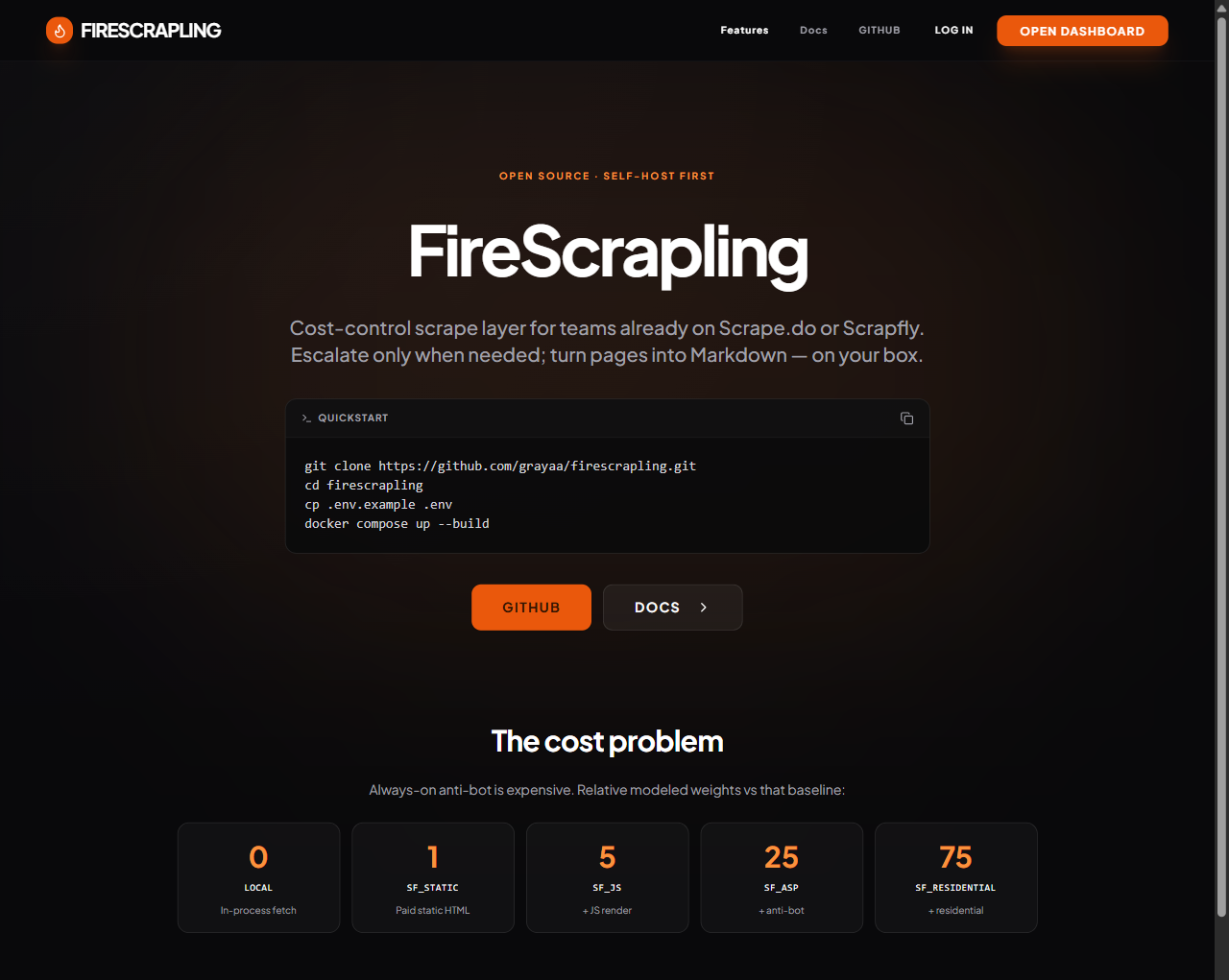
Always-on anti-bot (ASP / residential) burns credits. FireScrapling runs a cheap-first ladder and remembers what each domain needed:
| Tier | Modeled weight |
|---|---|
| local | 0 |
| sf_static | 1 |
| sf_js | 5 |
| sf_asp | 25 (baseline for “savings”) |
| sf_residential | 75 |
Estimated savings vs always-ASP: GET /v1/usage/fetch-savings and the Savings dashboard.
See docs/fetch-savings.md.
How this compares
Looking for a Firecrawl alternative that is self-hosted by default and keeps fetch spend on your Scrape.do / Scrapfly meter? That is FireScrapling’s niche — not a drop-in for every Firecrawl Cloud feature.
| Dimension | Firecrawl | FireScrapling |
|---|---|---|
| Who pays for fetching | Cloud: their credits/plan (pricing); self-host: your infra/providers | You pay Scrape.do / Scrapfly (or $0 local) |
| Per-page fetch escalation | Cloud manages fetch/anti-bot as a service (docs) | Explicit cheap-first ladder + domain memory (fetch-ladder) |
| Where the provider key lives | Firecrawl API key on Cloud | BYOK or env keys for Scrape.do / Scrapfly on your instance |
| Self-hosting | Documented (self-host) | Default path (docker compose) |
| Licence | AGPL-3.0 (core) | AGPL-3.0-only |
Prefer Firecrawl when you want a hosted, managed API with no infrastructure to run. Details: docs/comparison.md.
Quickstart
Requires Docker and curl. No provider API key is needed for the first scrape
(local fetch of example.com).
git clone https://github.com/grayaa/firescrapling.git
cd firescrapling
cp .env.example .env
docker compose up --build -d
Wait until the API is healthy:
until curl -sf http://localhost:8000/health >/dev/null; do sleep 2; done
Then create the first account, an API key, and scrape (bash / zsh / Git Bash —
Docker + curl only; JSON is peeled with a one-shot python container):
curl -s -X POST http://localhost:8000/v1/auth/register \
  -H "Content-Type: application/json" \
  -d '{"email":"[email protected]","password":"ChangeMe99!"}'

TOKEN=$(curl -s -X POST http://localhost:8000/v1/auth/login \
  -H "Content-Type: application/json" \
  -d '{"email":"[email protected]","password":"ChangeMe99!"}' \
  | docker run --rm -i python:3.11-slim python -c "import sys,json; print(json.load(sys.stdin)['session_token'])")

API_KEY=$(curl -s -X POST http://localhost:8000/v1/keys \
  -H "Authorization: Bearer $TOKEN" \
  -H "Content-Type: application/json" \
  -d '{"name":"local"}' \
  | docker run --rm -i python:3.11-slim python -c "import sys,json; print(json.load(sys.stdin)['key']['value'])")

curl -s -X POST http://localhost:8000/v1/scrape \
  -H "Authorization: Bearer $API_KEY" \
  -H "Content-Type: application/json" \
  -d '{"url":"https://example.com","formats":["markdown"],"onlyMainContent":true}'
Prefer the UI? Open http://localhost:8080, create the first account, create an API
key under API Keys, then run only the final curl scrape with fs_… substituted.
- Dashboard: http://localhost:8080
- API: http://localhost:8000 (
/docsfor Swagger)
Defaults: HOSTED_MODE=false, PLAYGROUND_ENABLED=false, ALLOW_REGISTRATION=false
(first account always allowed; set ALLOW_REGISTRATION=true to keep sign-up open).
BYOK
Optional — attach your Scrape.do / Scrapfly key so paid fetches use your meter.
- Generate an encryption key (needs
cryptography, or use any Fernet key):docker run --rm python:3.11-slim bash -c "pip install -q cryptography && python -c \"from cryptography.fernet import Fernet; print(Fernet.generate_key().decode())\"" - Set in
.env:BYOK_ENABLED=true CREDENTIAL_ENCRYPTION_KEY=<that key> docker compose up -d --force-recreate backend worker- Dashboard → Providers → add Scrape.do or Scrapfly token (encrypted at rest).
Without BYOK, platform env keys (SCRAPE_API_KEY / SCRAPFLY_API_KEY) work when
MANAGED_FETCH_ENABLED=true (self-host: no plan gating; plan gating only when
HOSTED_MODE=true).
Environment (compose)
| Variable | Default | Notes |
|---|---|---|
HOSTED_MODE |
false |
Billing / plan gates |
ALLOW_REGISTRATION |
false |
First account always; set true to keep sign-up open |
PLAYGROUND_ENABLED |
false |
Unauthenticated demo |
BYOK_ENABLED |
false |
Per-user provider keys |
CREDENTIAL_ENCRYPTION_KEY |
— | Required if BYOK on |
SCRAPE_API_KEY / SCRAPFLY_API_KEY |
— | Platform fetch |
FETCH_ESCALATE |
true |
Cheap-first ladder |
LOG_LEVEL |
INFO |
App / uvicorn logs |
SCRAPE_CACHE_TTL |
3600 |
Local HTML cache (seconds) |
REDIS_URL |
redis://redis:6379/0 |
RQ workers |
DATABASE_URL |
(empty → sqlite) | Optional Postgres — see below |
ADMIN_SECRET |
— | /v1/admin/* |
Optional Postgres
Leave DATABASE_URL unset for SQLite (default — fully supported). Compose can also
start a Postgres service for schema work:
# in .env (backend/worker containers only — host is localhost:5433)
DATABASE_URL=postgresql+psycopg://firescrapling:firescrapling@postgres:5432/firescrapling
docker compose --profile postgres up --build
Host postgres is the Compose service name (reachable from backend/worker containers).
On the host machine the DB is published as localhost:5433 by default (POSTGRES_HOST_PORT)
so it does not clash with another Postgres already on 5432. Schema is applied automatically
via alembic upgrade head on backend/worker startup.
Change user/password/db via POSTGRES_USER / POSTGRES_PASSWORD / POSTGRES_DB if needed.
Compose publishes Postgres on host port 5433 by default (POSTGRES_HOST_PORT) so it
does not clash with another local Postgres on 5432. Schema is applied on startup via
alembic upgrade head. Set TEST_DATABASE_URL to the same URL (or a dedicated
firescrapling_test database) to run pytest against Postgres.
Starter file: .env.example. More options: docs/self-host.md.
Architecture
browser → frontend :8080 (nginx) → backend :8000 (FastAPI)
                                 → redis + RQ worker
                                 → SQLite (or Postgres profile)
Fetch identity is a FetchContext (BYOK → platform → local). Queue payloads carry
user_id only — never plaintext provider keys.
MCP
Optional Compose profile:
docker compose --profile mcp up
See apps/firescrapling/mcp/README.md for a Cursor
.mcp.json snippet (FIRESCRAPLING_API_KEY=fs_…).
Custom extractors
Site adapters live under apps/firescrapling/backend/extractors/. The product surface is
the registry interface (base.py): return manifest / media URLs only — no proxy,
download, cache, or rehost. Shipped anime3rb / reelshort modules are examples of that
interface, not the headline feature. See docs/custom-extractors.md.
Hosted version?
There is no hosted SaaS tier yet. If you want one, +1 or comment on the GitHub Discussions (see also docs/hosted.md).
Contributing
- Backend tests:
cd apps/firescrapling/backend && pip install -r requirements-dev.txt && pytest -q - Frontend:
cd apps/firescrapling/frontend && npm run typecheck
Licence
Copyright (C) 2026 Grayaa Hammed
AGPL-3.0 — see SPDX identifier AGPL-3.0-only.
Installing Firescrapling
This server has no published package — it is built from source. Open the repository and follow its README.
▸ github.com/grayaa/firescraplingFAQ
Is Firescrapling MCP free?
Yes, Firescrapling MCP is free — one-click install via Unyly at no cost.
Does Firescrapling need an API key?
No, Firescrapling runs without API keys or environment variables.
Is Firescrapling hosted or self-hosted?
Self-hosted: the server runs locally on your machine via the install command above.
How do I install Firescrapling in Claude Desktop, Claude Code or Cursor?
Open Firescrapling on unyly.org, pick your client tab (Claude Desktop, Claude Code, Cursor) and press Install — the config is generated automatically, no JSON editing.
Related MCPs
Playwright
Browser automation, scraping, screenshots
 by Microsoft
Puppeteer
Browser automation and web scraping.
 by modelcontextprotocol
opentabs-dev/opentabs
Plugin-based MCP server + Chrome extension that gives AI agents access to web applications through the user's authenticated browser session. 100+ plugins with a
 by opentabs-dev
robhunter/agentdeals
1,500+ developer infrastructure deals, free tiers, and startup programs across 54 categories. Search deals, compare vendors, plan stacks, and track pricing chan
 by robhunter
hlydecker/ucsc-genome-mcp
MCP server to interact with the UCSC Genome Browser API, letting you find genomes, chromosomes, and more.
 by hlydecker
34892002/bilibili-mcp-js
A MCP server that supports searching for Bilibili content. Provides LangChain integration examples and test scripts.
 by 34892002
achiya-automation/safari-mcp
Native Safari browser automation for AI agents with 80+ tools. No Chrome dependency, optimized for Apple Silicon with 60% less CPU overhead.
 by achiya-automation
agent-infra/mcp-server-browser
Browser automation capabilities using Puppeteer, both support local and remote browser connection.
 by bytedance
aparajithn/agent-scraper-mcp
Web scraping MCP server for AI agents. 6 tools: clean content extraction, structured scraping with CSS selectors, full-page screenshots via Playwright, link ext
 by aparajithn
apireno/DOMShell
Browse the web using filesystem commands (ls, cd, grep, click). 38 MCP tools map Chrome's Accessibility Tree to a virtual filesystem via a Chrome Extension.
 by apireno
Compare Firescrapling with
Not sure what to pick?
Find your stack in 60 seconds
Author?
Embed badge for your README
Browse similar
All browse MCPs