
Codemagic
FreeNot checkedThis MCP server enables users to manage Codemagic CI/CD builds directly from Claude Code, including listing apps, triggering builds, checking status, and cancel

About
This MCP server enables users to manage Codemagic CI/CD builds directly from Claude Code, including listing apps, triggering builds, checking status, and canceling builds.
README
License: MIT CI Python 3.10+ Code style: Ruff MCP Built by MusicTech Lab
An MCP server for Codemagic CI/CD. Trigger and inspect mobile/Flutter builds straight from Claude Code (or any MCP client) using the Codemagic REST API.
Built and maintained by MusicTech Lab.
Features
| Tool | Description |
|---|---|
codemagic_list_apps |
List all applications and their workflow ids |
codemagic_get_app |
Get one application's repo, branches, and workflows |
codemagic_start_build |
Trigger a build for an app/workflow on a branch or tag |
codemagic_get_build |
Get the status and details of a build |
codemagic_list_builds |
List builds, filterable by app/workflow/branch/status |
codemagic_cancel_build |
Cancel a running or queued build |
Requirements
- Python 3.10+
- Poetry
- A Codemagic API token
Setup
git clone https://github.com/musictechlab/mcp-codemagic.git
cd mcp-codemagic
poetry install
cp .env.example .env   # then fill in CODEMAGIC_API_KEY
Getting your API token
In Codemagic, go to User settings → Integrations → Codemagic API (or Team settings → Integrations for team accounts) and copy the token. Put it in .env:
CODEMAGIC_API_KEY=your-codemagic-api-token
Running
poetry run python -m mcp_codemagic
# or, via the installed console script:
poetry run mcp-codemagic
Connecting to Claude Code
Add the server with the CLI:
claude mcp add codemagic -- poetry --directory /absolute/path/to/mcp-codemagic run python -m mcp_codemagic
Or add it manually to your MCP config:
{
  "mcpServers": {
    "codemagic": {
      "command": "poetry",
      "args": ["--directory", "/absolute/path/to/mcp-codemagic", "run", "python", "-m", "mcp_codemagic"],
      "env": { "CODEMAGIC_API_KEY": "your-codemagic-api-token" }
    }
  }
}
Example prompts
- "List my Codemagic apps and their workflows."
- "Start the
ios-releaseworkflow for app<app-id>onmain." - "What's the status of build
<build-id>?" - "Show the last builds for app
<app-id>that are still building." - "Cancel build
<build-id>."
Examples
List apps
"List my Codemagic apps and their workflows."
Calls codemagic_list_apps and returns each application with its id and workflow ids:
{
  "applications": [
    {
      "_id": "6a28af80c12e620808693f7b",
      "appName": "vimoswim-coach",
      "repository": { "htmlUrl": "https://github.com/vimoswim/vimoswim-coach" },
      "workflowIds": ["6a28af80c12e620808693f7a"]
    }
  ]
}
Trigger a build
"Start workflow
6a28af80c12e620808693f7afor app6a28af80c12e620808693f7bonmain."
Calls codemagic_start_build and returns the new build id:
{ "buildId": "6a28f92cf7acee31a7394057" }
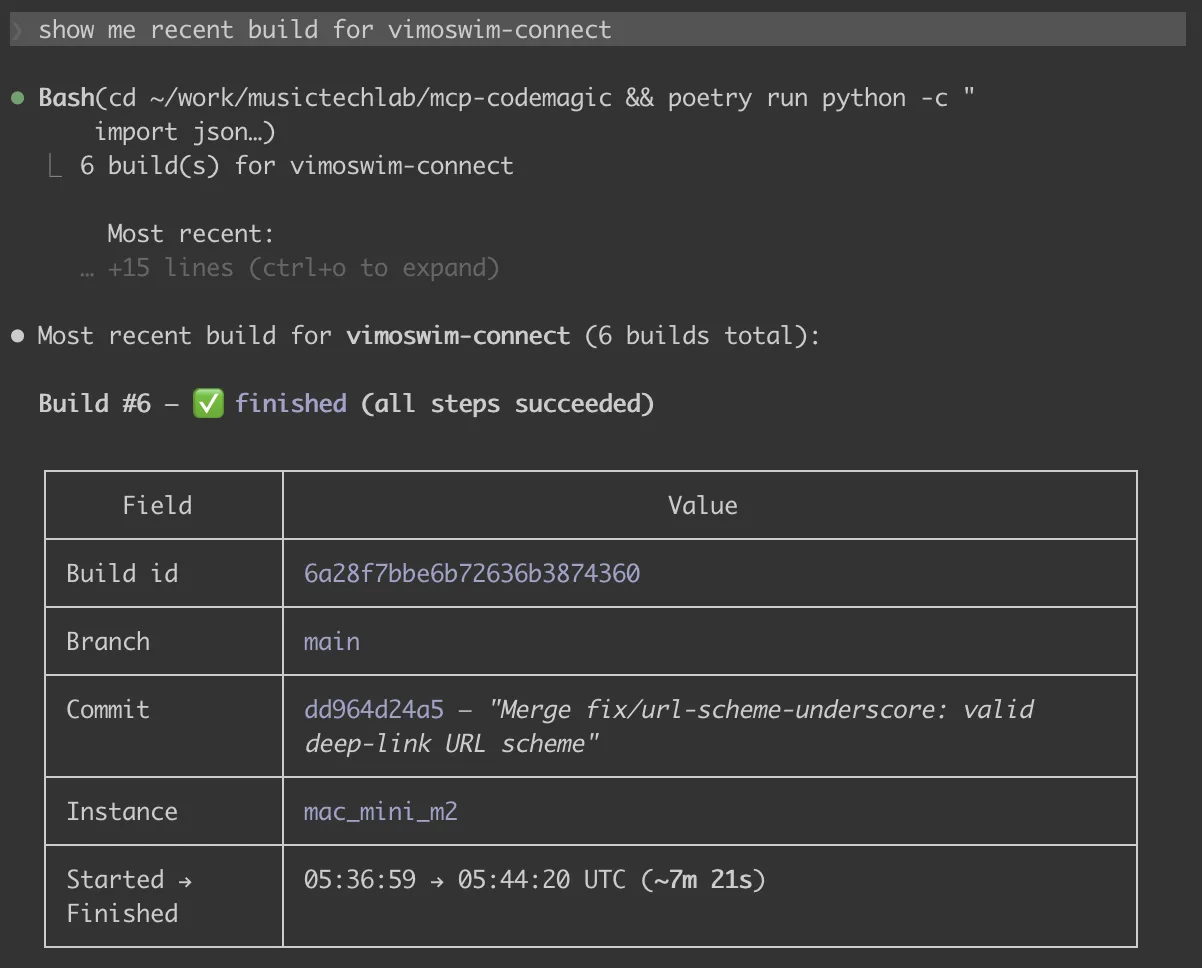
Check build status
"What's the status of build
6a28f92cf7acee31a7394057?"
Calls codemagic_get_build. The status field moves through queued → building → finishing → publishing → finished:
{
  "build": {
    "_id": "6a28f92cf7acee31a7394057",
    "status": "queued",
    "branch": "main",
    "workflowId": "6a28af80c12e620808693f7a",
    "instanceType": "mac_mini_m2"
  }
}
Errors come back as JSON (never raised), so the agent can read them:
{ "error": "Codemagic API 404 for GET /builds/missing", "status": 404, "body": { "message": "Build not found" } }
Configuration
| Variable | Required | Default | Description |
|---|---|---|---|
CODEMAGIC_API_KEY |
yes | — | Codemagic API token (x-auth-token) |
CODEMAGIC_BASE_URL |
no | https://api.codemagic.io |
Override the API base URL |
Development
poetry install
poetry run ruff check .
poetry run ruff format --check .
poetry run pytest
Contributing
See CONTRIBUTING.md.
Security
To report a vulnerability, see SECURITY.md.
License
MIT — see LICENSE.
Website | LinkedIn | Let's talk
Crafted by musictechlab.io
Installing Codemagic
This server has no published package — it is built from source. Open the repository and follow its README.
▸ github.com/musictechlab/mcp-codemagicFAQ
Is Codemagic MCP free?
Yes, Codemagic MCP is free — one-click install via Unyly at no cost.
Does Codemagic need an API key?
No, Codemagic runs without API keys or environment variables.
Is Codemagic hosted or self-hosted?
A hosted option is available: Unyly runs the server in the cloud, no local setup required.
How do I install Codemagic in Claude Desktop, Claude Code or Cursor?
Open Codemagic on unyly.org, pick your client tab (Claude Desktop, Claude Code, Cursor) and press Install — the config is generated automatically, no JSON editing.
Related MCPs
GitHub
PRs, issues, code search, CI status
 by GitHub
Filesystem
Secure file operations with configurable access controls.
Memory
Knowledge graph-based persistent memory system.
Template MCP Server
A CLI tool to create a new Model Context Protocol server project with TypeScript support, dual transport options, and an extensible structure
 by mcpdotdirect
Amap Maps Mcp Server
MCP server for using the AMap Maps API
 by duxiaohui
Supabase
Database, auth and storage
 by Supabase
Everything
Reference / test server with prompts, resources, and tools.
Git
Tools to read, search, and manipulate Git repositories.
Sequential Thinking
Dynamic and reflective problem-solving through thought sequences.
Time
Time and timezone conversion capabilities.
Compare Codemagic with
Not sure what to pick?
Find your stack in 60 seconds
Author?
Embed badge for your README
Browse similar
All development MCPs