
Dcc Shogun
FreeNot checkedA local-first MCP adapter for Vicon Shogun Post that provides read-only inspection of motion-capture scenes, including subject markers and trajectory queries vi

About
A local-first MCP adapter for Vicon Shogun Post that provides read-only inspection of motion-capture scenes, including subject markers and trajectory queries via the official SDK.
README
A typed, local-first DCC-MCP adapter for Vicon Shogun Post motion-capture inspection, timeline control, bounded cleanup, processing, and file workflows.
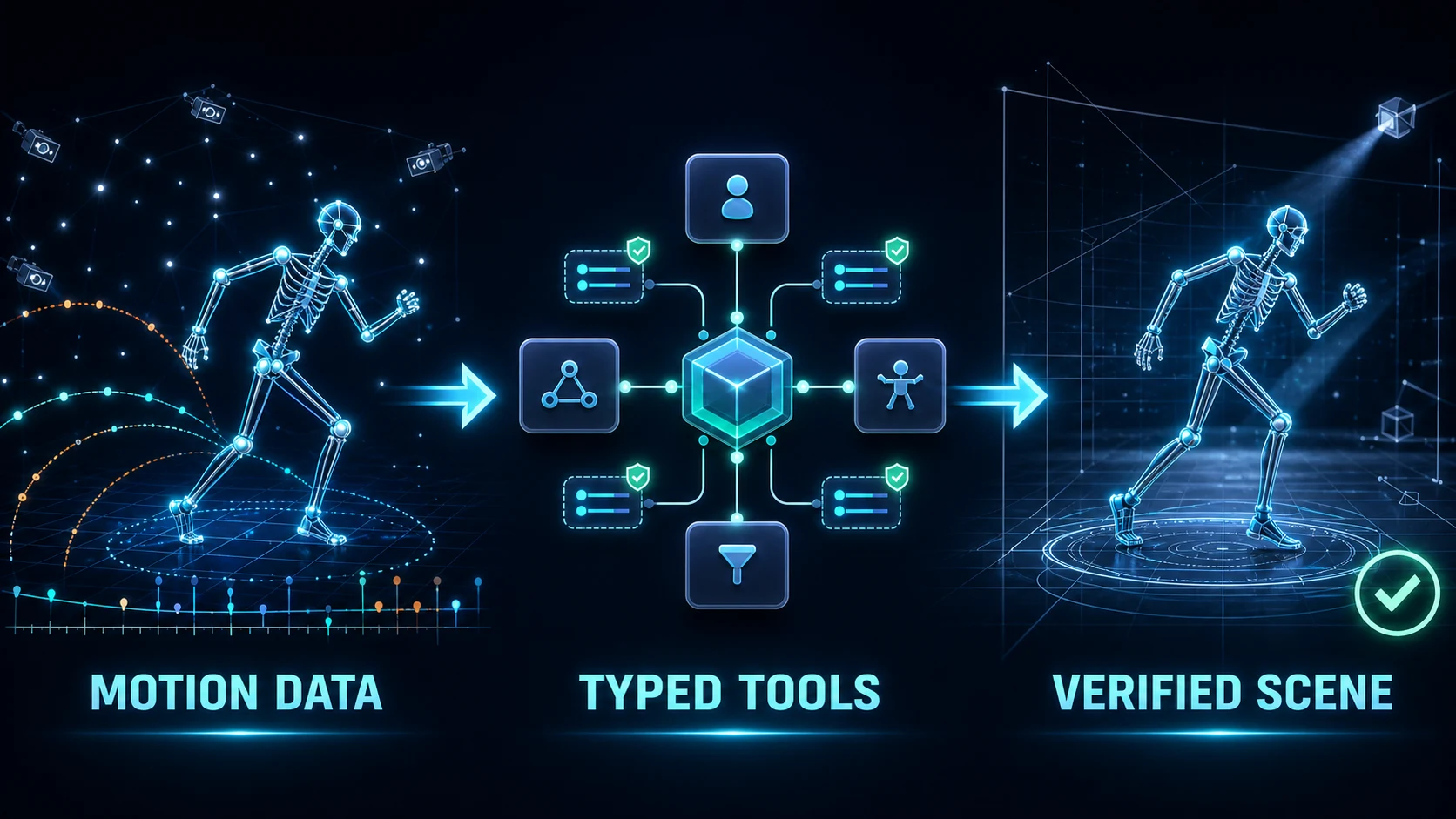
The adapter uses Vicon's official local ViconShogunPost control-stream SDK and
its Scene, Timeline, Offline, Channel, FIRFilter, and
WeightedAverageFilter contracts. It does not expose arbitrary Python or HSL
execution. Application controls not exposed by the SDK remain an explicit,
exact-window DCC UI Control fallback.
Shogun Post ships an external Python SDK. The adapter runs in its own Python process and connects to the application's local control stream; it does not rely on a general-purpose Python interpreter embedded in the Shogun Post UI.
Capabilities
- inspect path-redacted scene metadata and bounded subject lists;
- inspect subject markers, skeleton hierarchy, constraints, and static subject parameters;
- query one marker trajectory value or an inclusive window of at most 2,000 frames;
- inspect the capability-gated Scene object graph, hierarchy, transforms, attribute/channel names, bounded channel samples and gaps, expression-safe labeling/solving setup parameters, rigid-body transforms and attached markers, optical/video-camera calibration and presentation summaries, selection, visibility, selectability, and opacity;
- inspect and explicitly change current frame, selected time ranges,
range selection derived from keys, play/animation ranges, and playback through
the capability-gated
Timelineinterface; - inspect bounded Clip timing, offsets, time scale, lock and SMPTE alignment; read or explicitly change the active Clip; and update an allowlisted Clip timing subset with vendor read-back verification and rollback;
- inspect Character frame bounds and shot-QA flags, and update only six allowlisted Boolean workflow fields with vendor read-back verification and rollback, while excluding artist identities and free-form notes;
- repair one explicit marker sample with read-back verification; select channel keys from the current ranges, delete one explicit key or selected keys, and apply bounded FIR or weighted-average filtering that defaults to selected keys;
- inspect a stable allowlist of processing settings and invoke reconstruct,
ROM labeling, subject calibration, auto-label, occlusion fixing, solve,
QuickPost, or retarget through the official
Offlineinterface; reconstruction, occlusion, and solving setting updates are allowlisted and rollback-aware; - expose capability-gated import, save, and export calls that map directly to the official SDK;
- register one Shogun Post GUI instance with the DCC-MCP local gateway.
The mutating surface is deliberately narrow. Clip mutation cannot create,
remove, rename, or reparent NLE objects, and Character mutation cannot read or
write artist identities or free-form notes. Both mutation paths validate every
field before connecting, verify the vendor read-back, and attempt rollback on
partial failure. Cleanup never exposes the SDK's
unbounded DeleteAllKeys operation. Single-sample writes are finite and bounded,
return the previous value, and fail if Shogun does not return the requested
sample. Processing requires an explicit
current_frame or selected_ranges scope; the complete play range is not an
available implicit default. The adapter does not expose scene replacement,
arbitrary HSL/Python execution, or bulk raw trajectory writes. Existing outputs
fail closed unless overwrite=true, and public results omit full file-system
paths. The Scene surface does not expose object creation, removal, reparenting,
setup-parameter creation/expression edits, or raw attribute writes. Attribute
values, setup expression source, camera device identifiers, firmware, and
capture/video file paths are intentionally omitted from inspection results.
The subject, marker, skeleton, constraint, parameter, and trajectory queries in
shogun-scene are live-validated against Shogun Post 1.19. The newer official
Scene object model is live-validated for scene-object, rigid-body, and
video-camera inventories in an initialized 100-frame blank session. A fresh
zero-frame placeholder session rejects those same official object-list commands
with ControlError; the adapter reports that host-state boundary instead of
claiming an empty inventory. Individual object-detail operations remain
scene-state gated. A live 1.19 host also rejected the SDK's ImportFile call
with ControlError, without partially changing the scene. The separate
shogun-files Skill therefore remains explicitly host-build and
license-capability gated: its tools are typed and fail closed, but import,
save, and export are not claimed as live-supported on 1.19.
The setup-parameter, rigid-body, and video-camera extensions use the official
1.19 object types and are schema- and contract-tested. Wheel-installed and
public-PyPI adapters both registered all 27 Scene tools in live 1.19 hosts. The
three inventory calls completed in the initialized blank session; in a separate
zero-frame placeholder they returned only bounded ControlError results, and
follow-up typed inspection confirmed that the exact host remained available.
Successful parameter and detail reads from a disposable non-empty scene are not
yet claimed.
The same 1.19 host exposes the official Timeline and Offline Python classes
but rejects their commands as invalid for that host application. The
shogun-timeline and shogun-processing Skills therefore remain explicitly
capability-gated: their schemas and SDK mappings are tested, while 1.19 support
is not claimed. A rejection is returned as a bounded typed error and never
triggers UI automation.
shogun-editing is separately capability-gated. Its schemas and SDK mappings
are tested against the 1.19 SDK contract. All five tools were also loaded and
dispatched through a live 1.19 host: against an empty scene, each mutation was
safely rejected as a bounded ControlError, with the scene remaining empty.
Trajectory write and filter effects on a non-empty disposable take are not yet
claimed as live-validated. A host-build or scene-state rejection never falls
back to arbitrary script execution.
shogun-production-context exposes eight Clip and Character tools. Its four
read-only tools were loaded and dispatched through a live 1.19 host; the blank
scene returned bounded ControlError responses and the host remained
available. All eight current tools were then loaded from the packaged Skill in
a live 1.19 adapter; get_active_clip reached the official Scene interface and
returned the same bounded ControlError on the blank scene without affecting
host availability. The active-Clip, Clip-timing, and Character-QA mutation
contracts are SDK-mapped, schema-tested, read-back verified, rollback-aware,
and remain capability-gated until a disposable non-empty scene is available
for live mutation evidence. The official Database interface is intentionally
not public: an isolated read probe coincided with host termination, so it
remains deferred until that stability signal can be reproduced and resolved.
The implemented contracts follow Vicon's official Shogun Post documentation, Python scripting guide, and HSL command reference. See the maintained official SDK coverage matrix for implemented and intentionally deferred interface families.
Showcase
The repository includes an original, deterministic 240-frame BVH motion source and generator under examples/showcase. It is intended for reproducible import experiments without redistributing production capture data.
See docs/showcase.md for the full launch, discovery, inspection, and evidence workflow.
Local development
Start Vicon Shogun Post with your normal application launcher. Then install
this adapter in a Python environment that can import dcc-mcp-core:
python -m pip install -e ".[dev]"
dcc-mcp-shogun --host-pid <SHOGUN_POST_PID>
The adapter discovers the official SDK beside the selected host process. An
operator can instead set DCC_MCP_SHOGUN_SDK_PATH to the SDK's Win64
directory. The adapter resolves the selected host process's control-stream
listener; DCC_MCP_SHOGUN_CONTROL_PORT may override it only when that port is
owned by the same host process.
Shogun Post opens its control-stream listener late in startup. Vicon documents
803 as the default port; additional local instances search incrementally upward,
and operators can configure a fixed port. The adapter therefore waits for the
selected host process to open a listener in its bounded 803-899 discovery window
and confirms candidates with a real SDK handshake before serving. It never
binds or changes Shogun's port. For a fixed port outside that discovery window,
set DCC_MCP_SHOGUN_CONTROL_PORT explicitly. The wait defaults to 120 seconds
and can be tuned with DCC_MCP_SHOGUN_CONTROL_PORT_TIMEOUT (seconds).
The DCC-MCP listener uses an OS-assigned loopback port unless --mcp-port or
DCC_MCP_SHOGUN_PORT is explicitly set. Use dcc-mcp-cli list, search,
describe, and call rather than storing the resolved endpoint.
Validation
python -m ruff check src tests tools
python -m ruff format --check src tests tools
python -m pytest
python tools/lint_skills.py
python -m build
Privacy and safety
- Connections are limited to the local Shogun control stream.
- Tool results reduce file paths to base names.
- Errors report exception classes, not SDK install paths or machine details.
- Attribute inspection returns names only, and camera summaries omit device IDs.
- The scene Skill limits mutation to selection and display state; the file Skill exposes only bounded import/save/export operations; editing requires an explicit object/channel or subject/marker/frame; processing never defaults to the full play range.
- Authentication, licensing, UAC, and security dialogs are never automated.
Vicon and Shogun are trademarks of Vicon Motion Systems Ltd. This independent adapter is not affiliated with or endorsed by Vicon.
License
MIT
Installing Dcc Shogun
This server has no published package — it is built from source. Open the repository and follow its README.
▸ github.com/dcc-mcp/dcc-mcp-shogunFAQ
Is Dcc Shogun MCP free?
Yes, Dcc Shogun MCP is free — one-click install via Unyly at no cost.
Does Dcc Shogun need an API key?
No, Dcc Shogun runs without API keys or environment variables.
Is Dcc Shogun hosted or self-hosted?
Self-hosted: the server runs locally on your machine via the install command above.
How do I install Dcc Shogun in Claude Desktop, Claude Code or Cursor?
Open Dcc Shogun on unyly.org, pick your client tab (Claude Desktop, Claude Code, Cursor) and press Install — the config is generated automatically, no JSON editing.
Related MCPs
GitHub
PRs, issues, code search, CI status
 by GitHub
Filesystem
Secure file operations with configurable access controls.
Memory
Knowledge graph-based persistent memory system.
Template MCP Server
A CLI tool to create a new Model Context Protocol server project with TypeScript support, dual transport options, and an extensible structure
 by mcpdotdirect
Amap Maps Mcp Server
MCP server for using the AMap Maps API
 by duxiaohui
Supabase
Database, auth and storage
 by Supabase
Everything
Reference / test server with prompts, resources, and tools.
Git
Tools to read, search, and manipulate Git repositories.
Sequential Thinking
Dynamic and reflective problem-solving through thought sequences.
Time
Time and timezone conversion capabilities.
Compare Dcc Shogun with
Not sure what to pick?
Find your stack in 60 seconds
Author?
Embed badge for your README
Browse similar
All development MCPs